
Your Podcasts, Upgraded
A beautiful podcast player that takes its colors from each show's artwork, with transcripts, summaries and chapters made on your device, sync you can count on, a web app, CarPlay and HomeView.
For iPhone, iPad, Apple Watch and Mac. Free, with an optional WaveCast Plus subscription.
What makes it different
Built around the episode you're listening to.
A beautiful place to listen
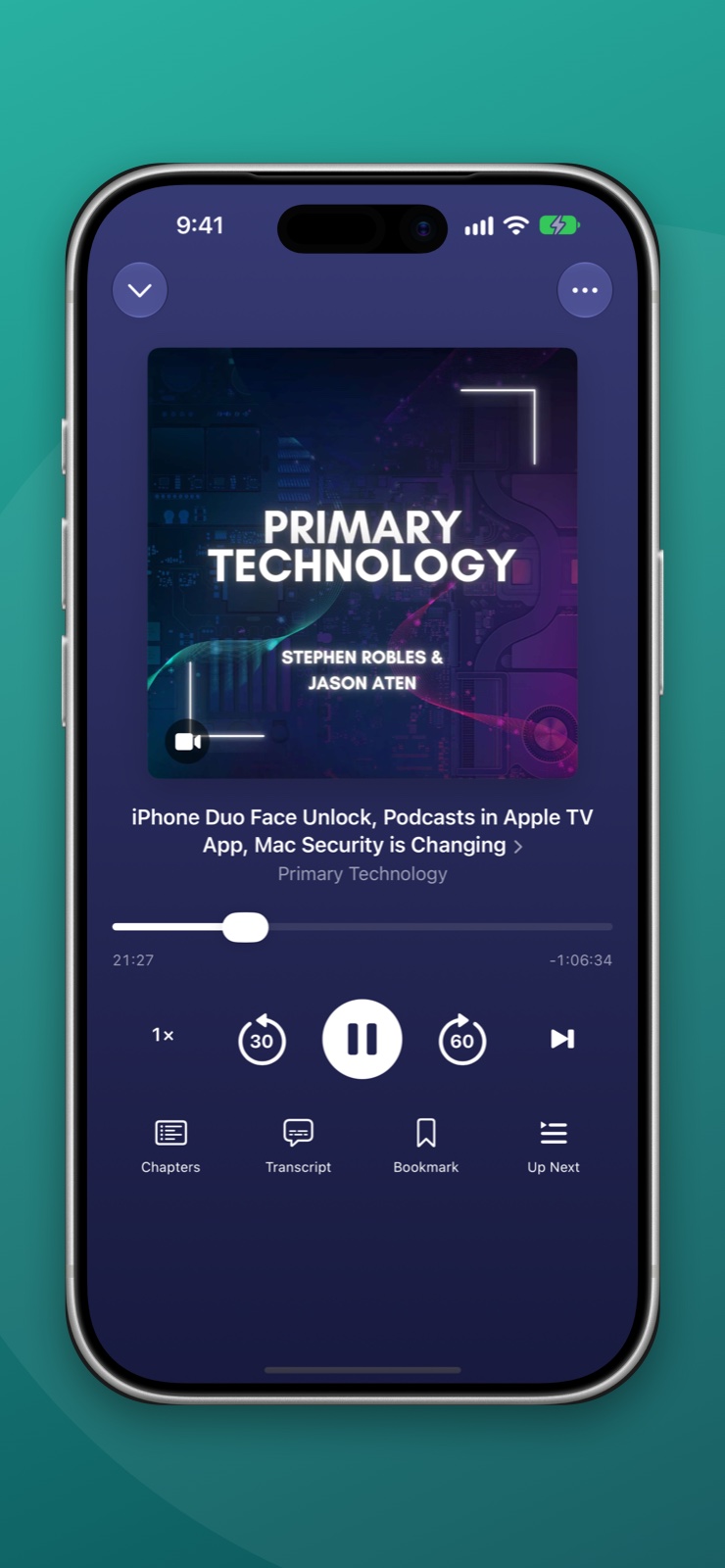
Every screen takes its colors from the artwork of the show you're playing, on iPhone, iPad, Mac and Apple Watch.
Transcripts, made on your device
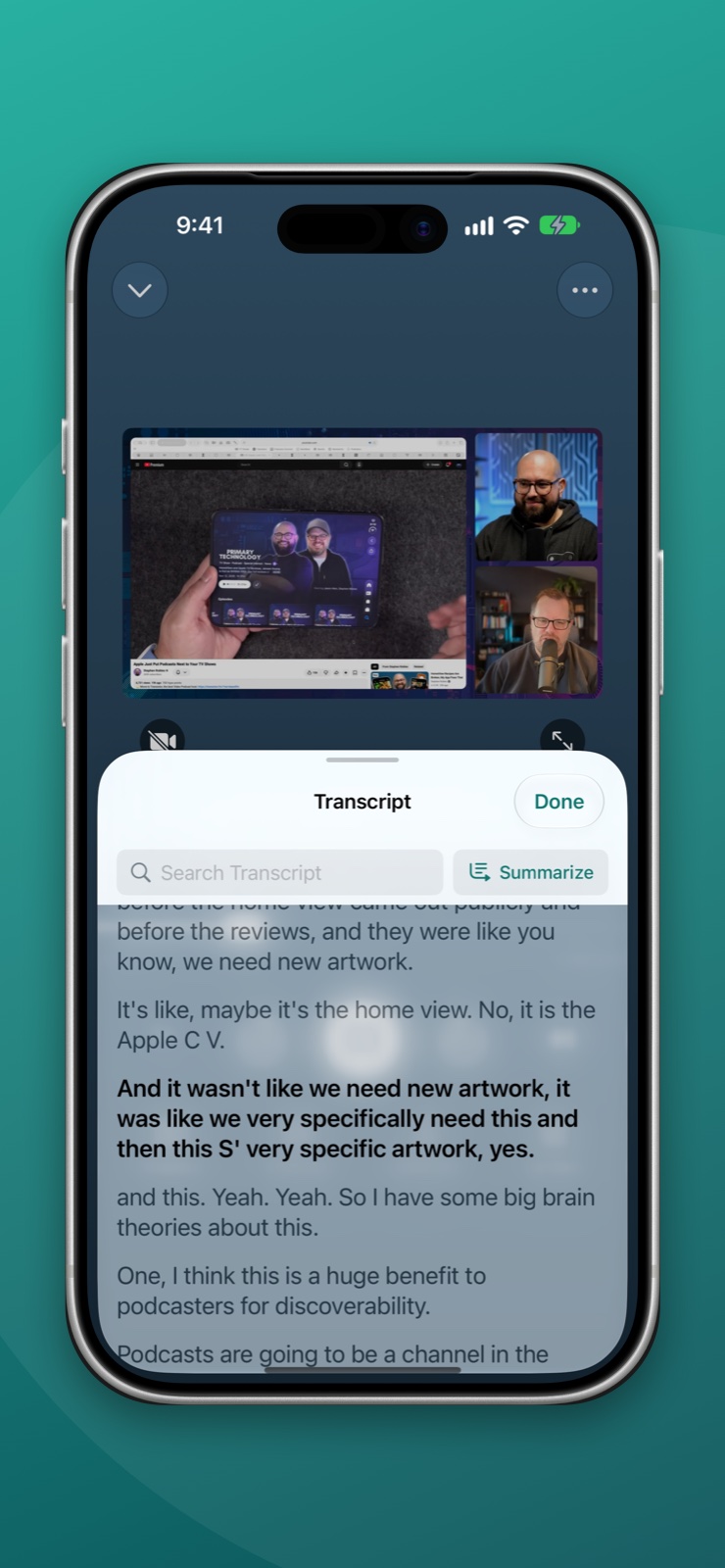
Read along as an episode plays: the line being spoken is highlighted, and tapping a line jumps there. When a show publishes no transcript, WaveCast makes one on your device.
Summaries
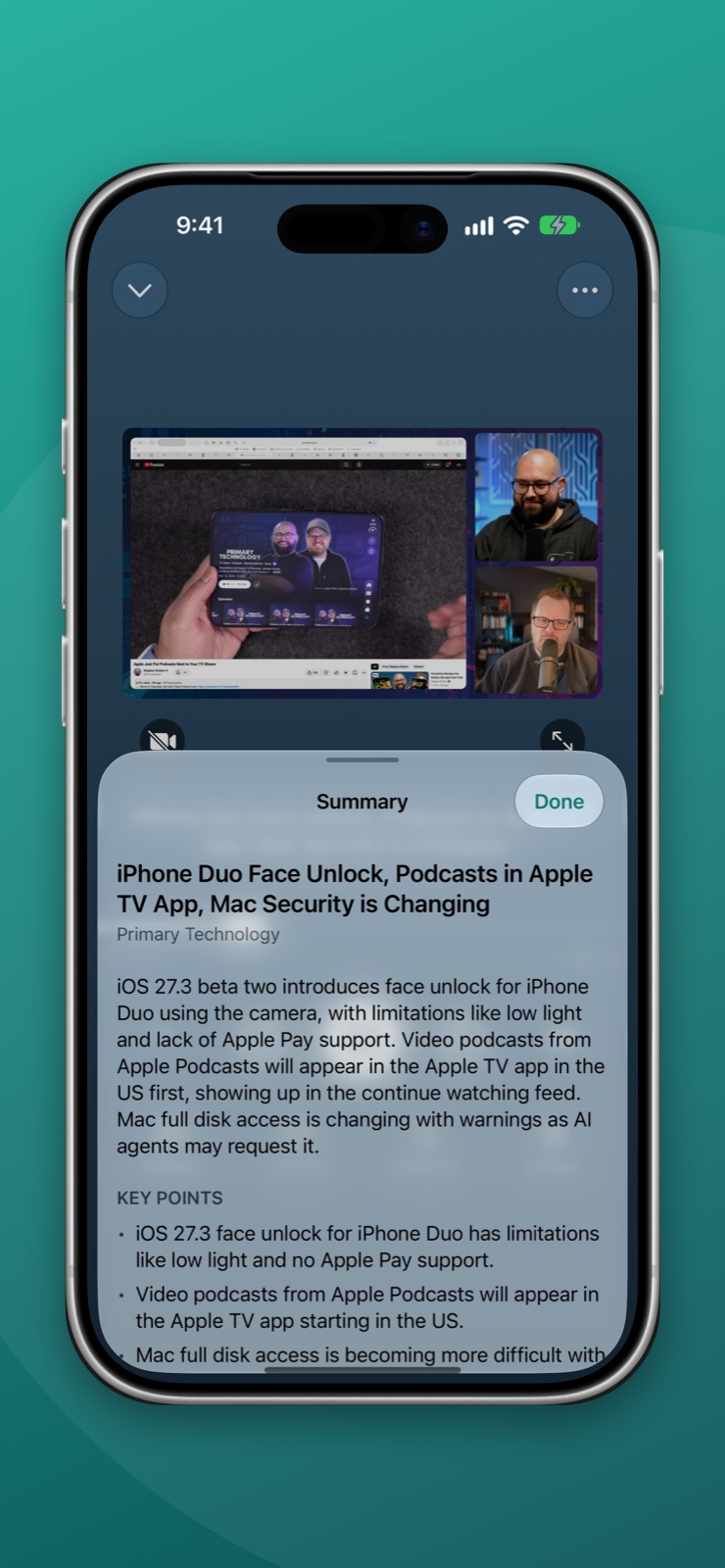
A short summary, the key points and an outline of an episode, with times you can tap. Written on your device by Apple Intelligence.
Chapters for every show
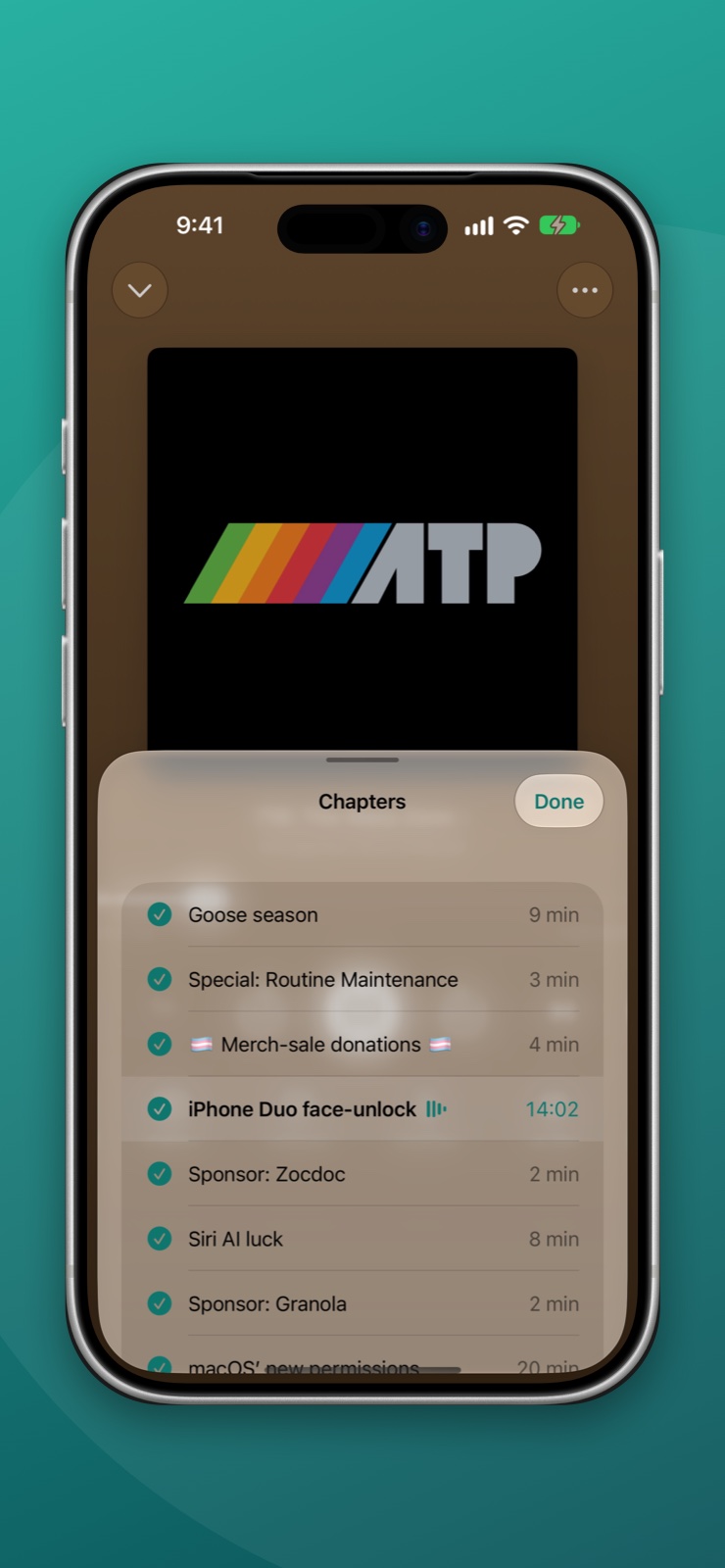
When a show publishes no chapters, WaveCast makes them on your device. Every chapter has a checkbox: uncheck the ones you don't want and they are skipped.
Sync you can count on, and a web app
Sign in and your shows, Up Next, stars, bookmarks and your place in every episode stay the same on each device, and here on the web. No passwords, and the apps work fine without an account.
CarPlay and HomeView
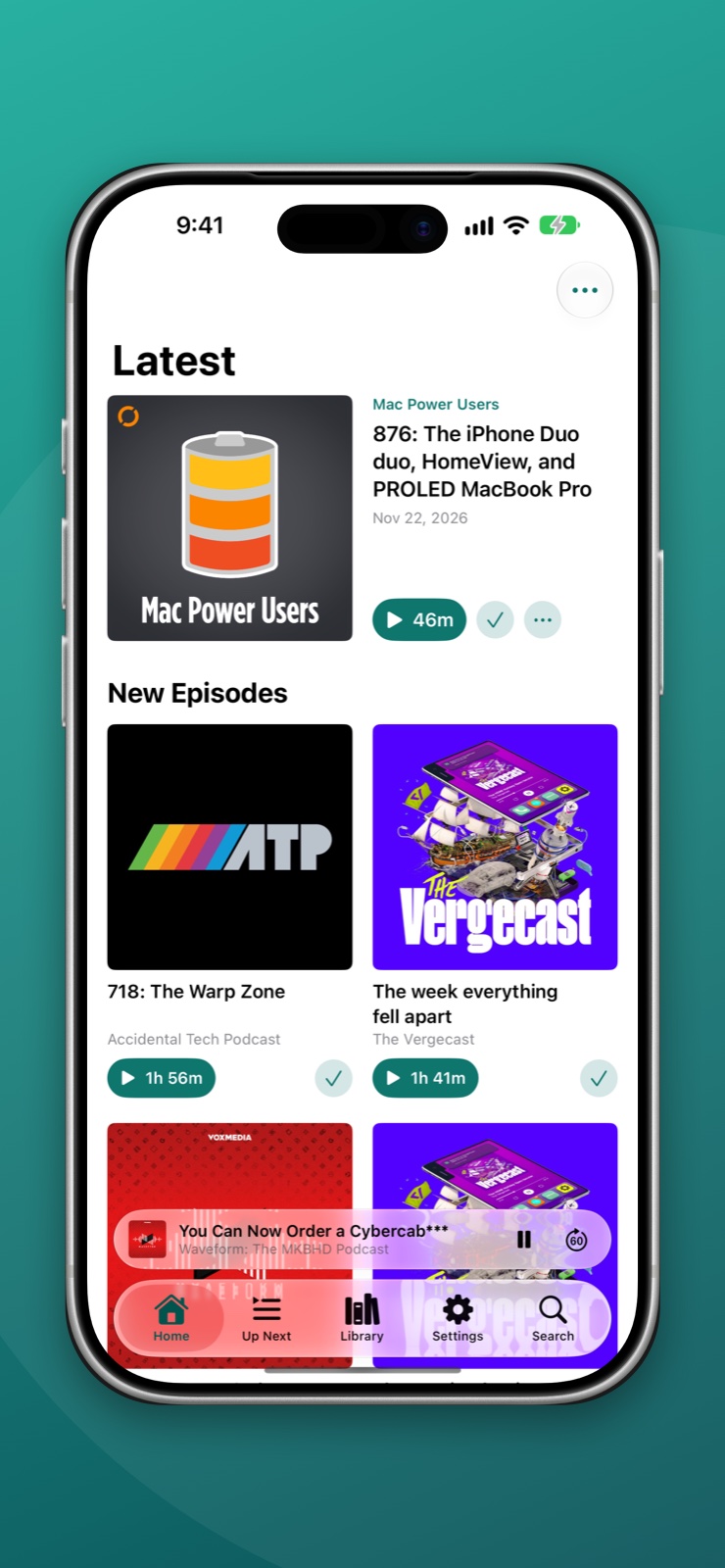
Latest, Up Next, your Library and Starred in the car, with a chapter list for what's playing. On Apple HomeView, video shows play as video.
On iPhone
Read along, skip ahead, or just read the summary.
The player in the colors of the show, with its chapters, its transcript and a summary right under it.
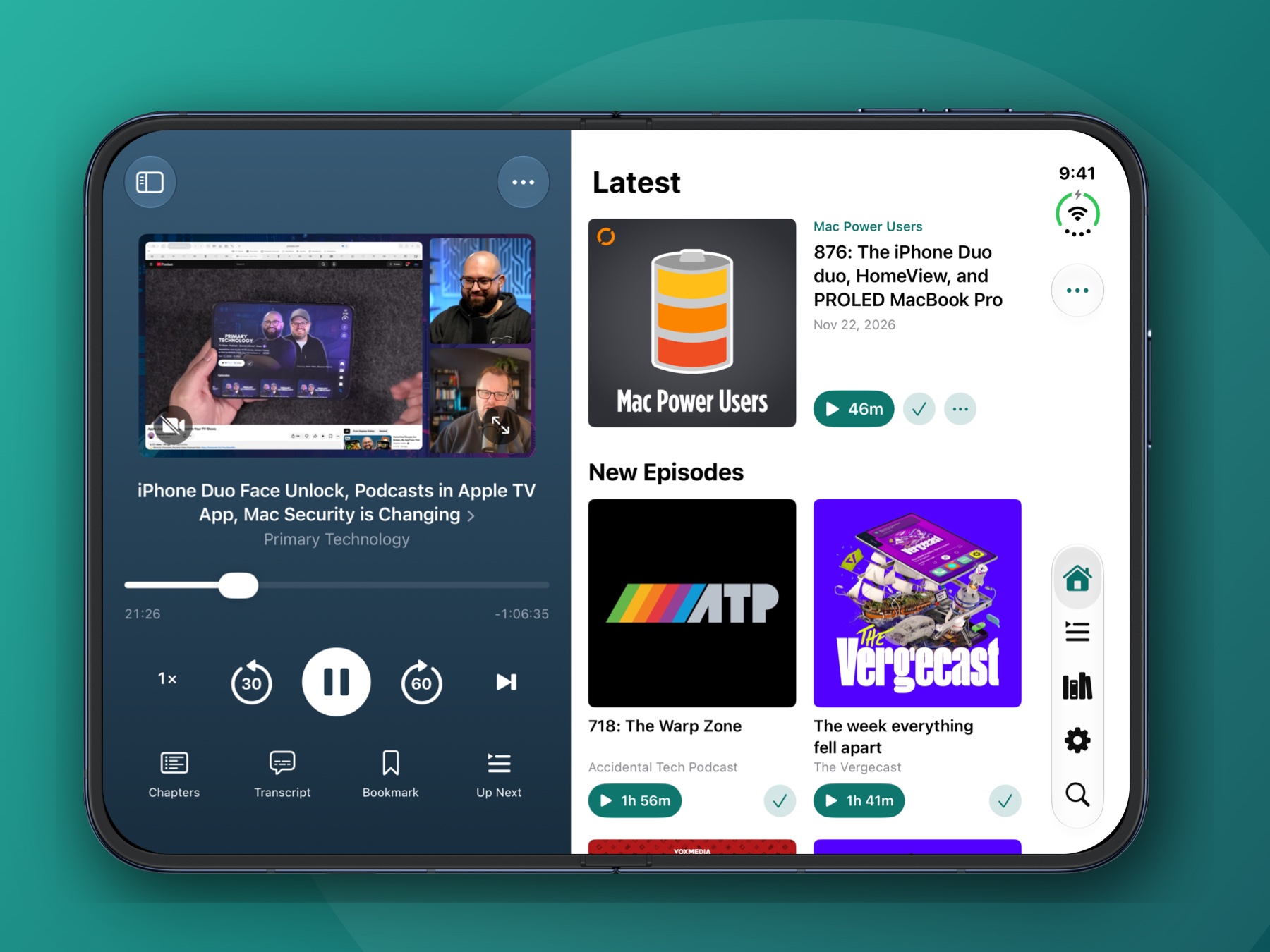
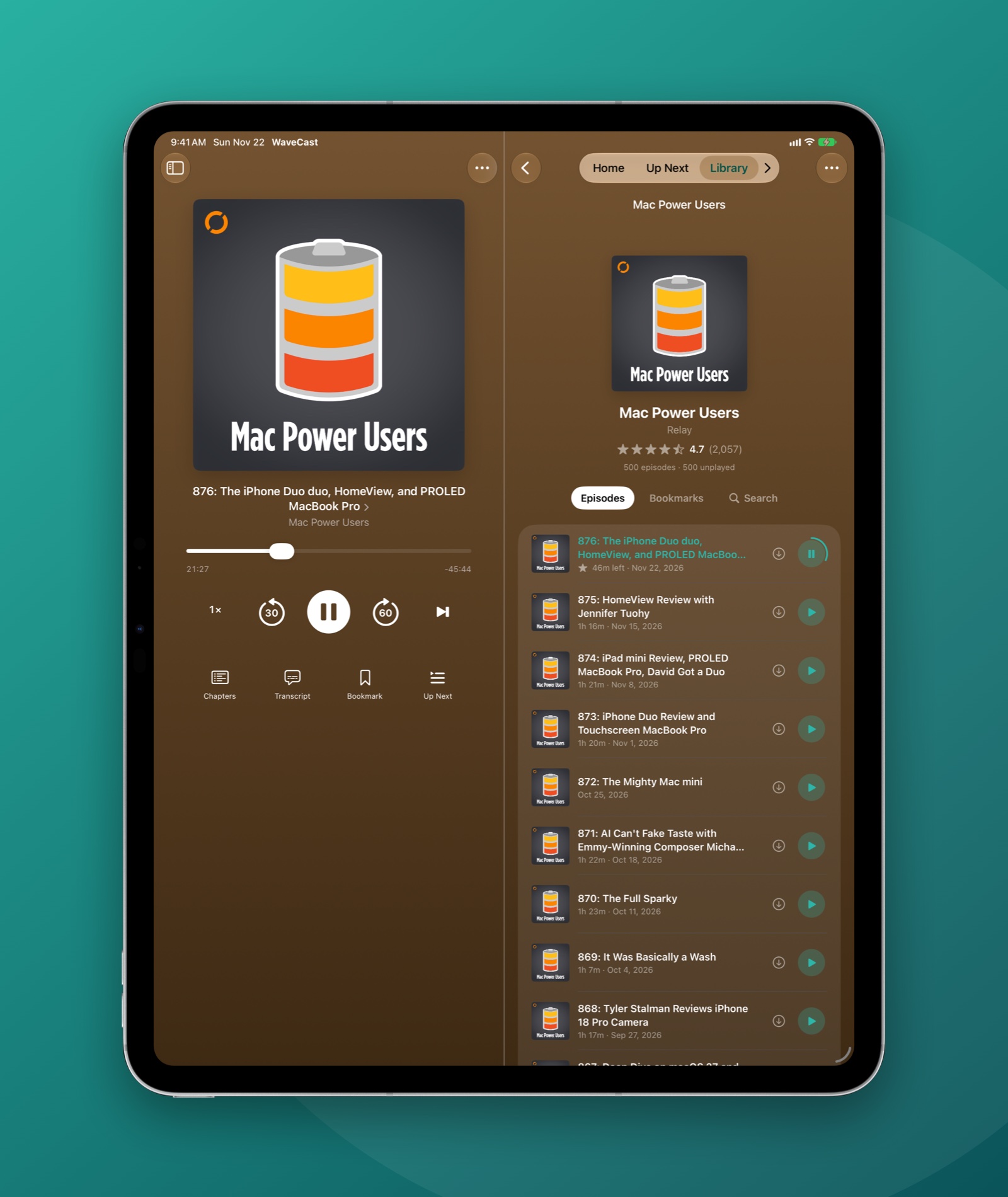
On iPad, Mac and iPhone Duo
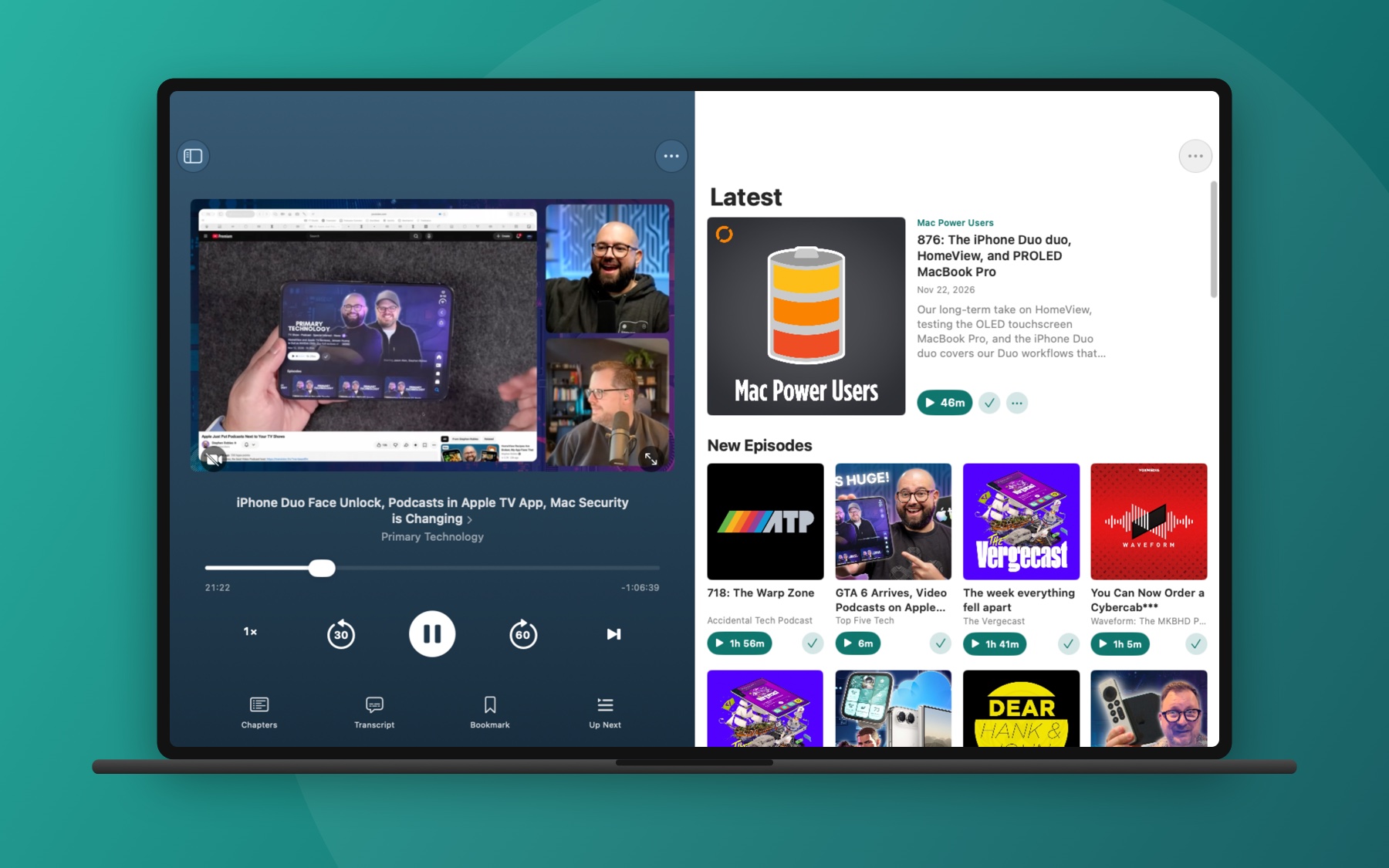
Room for the player and everything else.
Now Playing takes one side of the screen, and your shows, Up Next, chapters and the transcript stay beside it.
Everything else
The details are here too.
Up Next
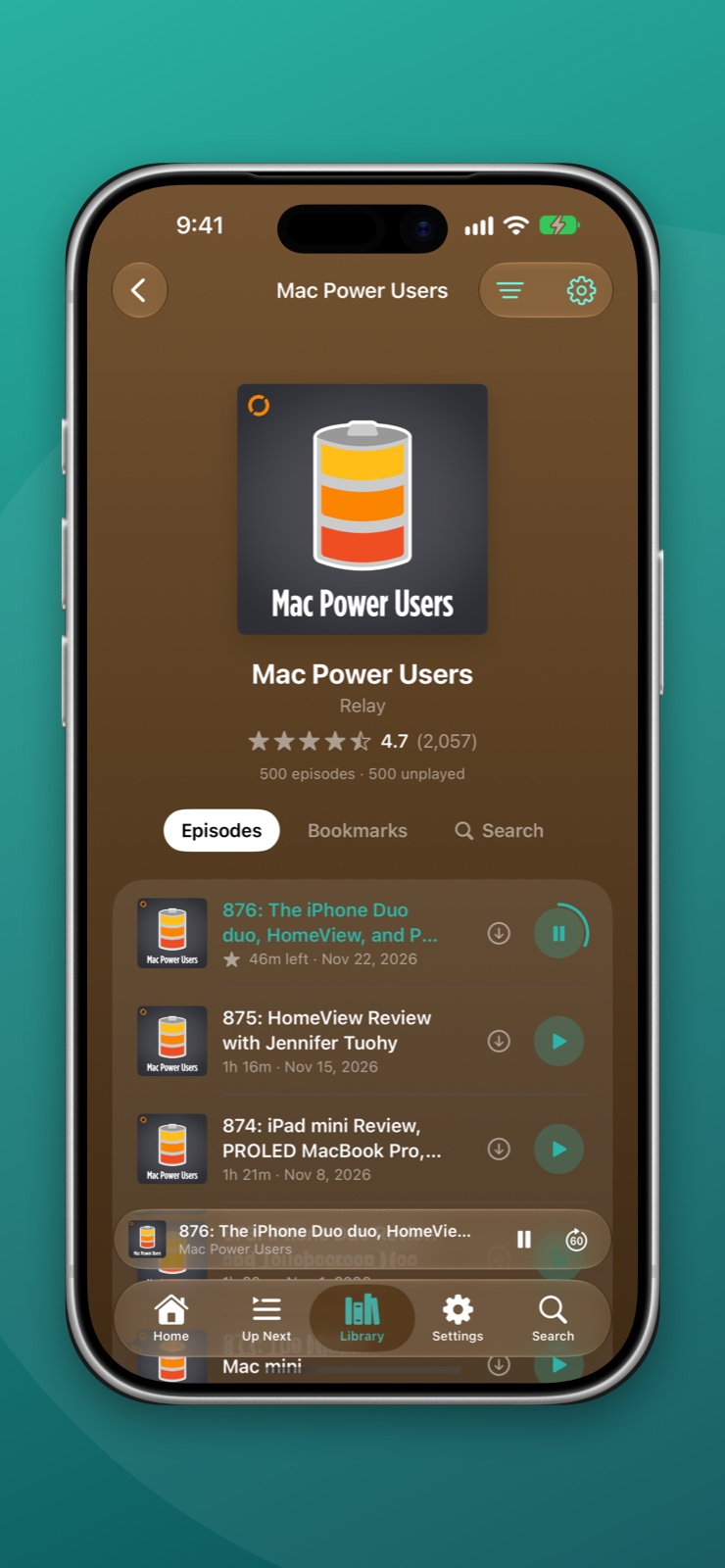
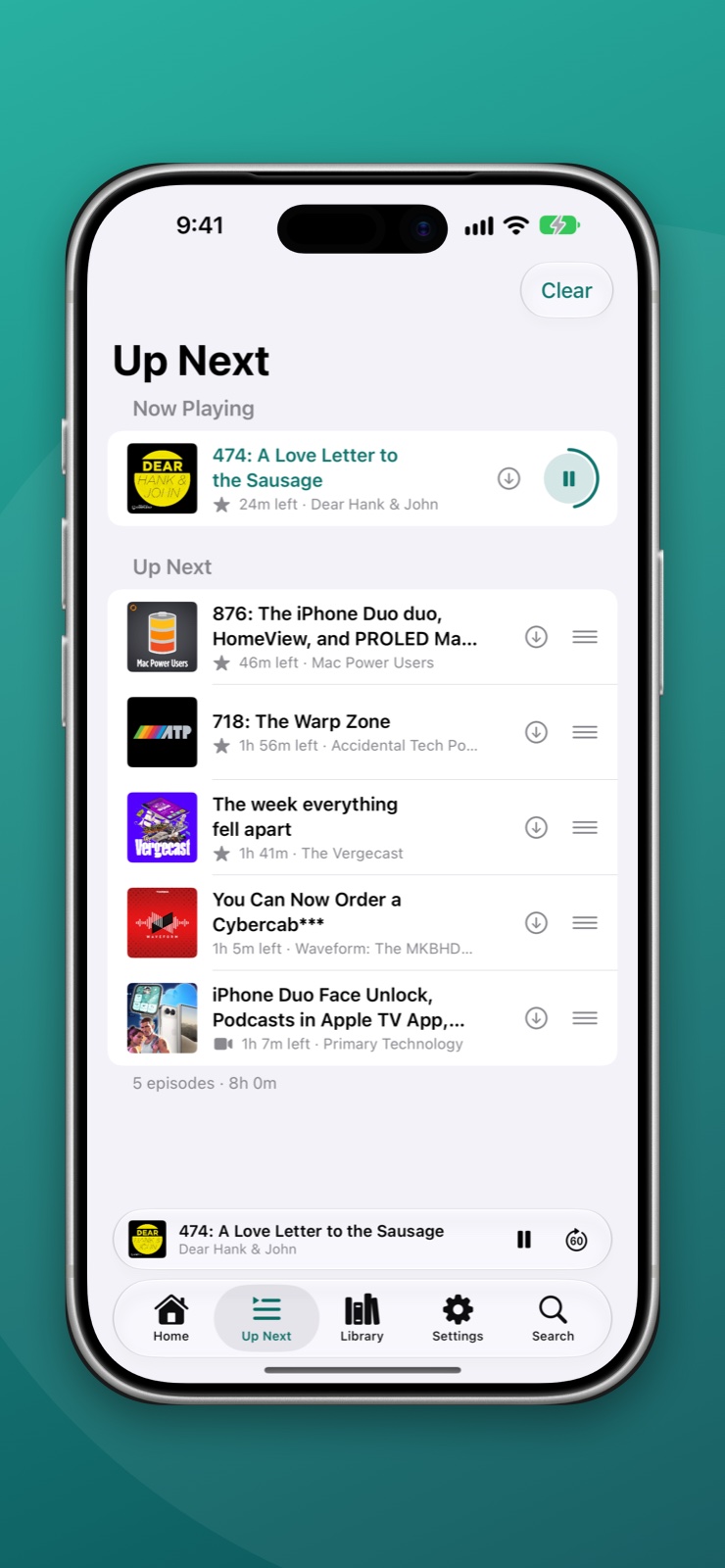
Queue what you plan to hear, in the order you choose, and WaveCast plays straight through it. Each show can add its new episodes to the top or the bottom by itself.
Speed and sound
Play from 0.5× to 3×. Voice Boost evens out quiet hosts and Skip Silences shortens the pauses. Give a show its own speed, and skip its intro and outro automatically.
Video when you want it
Shows that publish video play as video, and one tap turns it off to just listen. Downloads are audio only, so they stay small.
Share a moment
Share a show, an episode, or a moment in an episode with a link anyone can open and play in a browser.
Stars, bookmarks and stats
Star episodes worth coming back to. Bookmark a moment, give it a label, and search your bookmarks later. See your listening history and the time you've spent, show by show.
Made for big screens
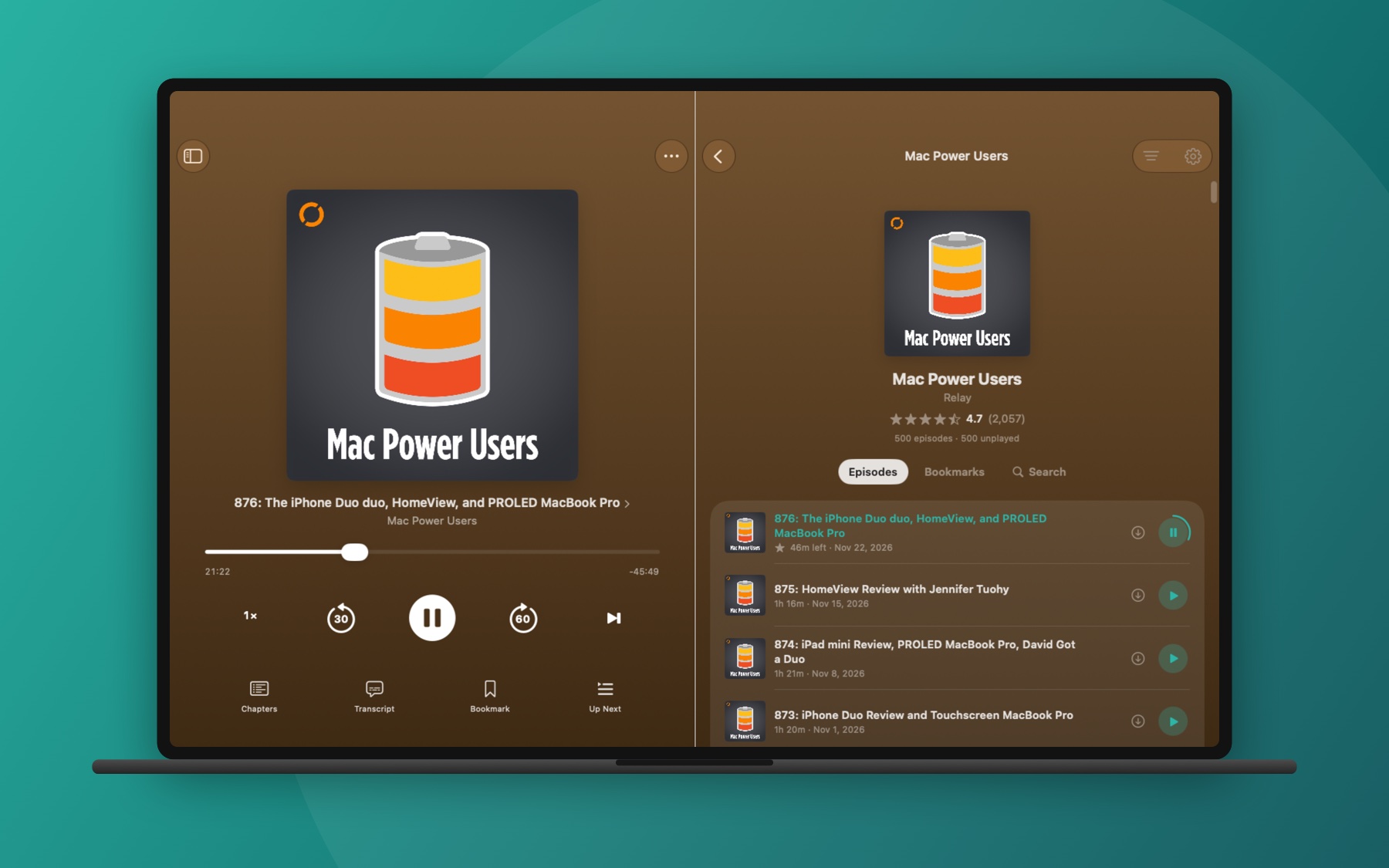
On iPad, Mac and an unfolded iPhone Duo, Now Playing takes one half of the screen and the rest of the app stays usable in the other.
On your wrist
The Apple Watch app controls what your iPhone is playing, and can keep your chosen shows' newest episodes to play on its own.
Widgets
Home Screen and Lock Screen widgets show what is playing and what is next, in the colors of the show's artwork.
Bring your shows with you
Import your subscriptions from another podcast app with an OPML file, and export them again any time.
On the web
Your library in any browser.
Sign in at wavecast.fm and pick up where your phone left off: your shows, Up Next, stars and bookmarks, with a player that keeps your place in step with your other devices.
FAQ
Frequently asked questions
Do I need an account?
No. In the apps, everything except syncing between devices works without signing in, and nothing about your listening leaves your device. The web app needs an account, because that is where it gets your library from.
How does sync work?
Sign in with Apple, with Google, with a passkey, or with a six-digit code sent to your email. There are no passwords. Your shows, Up Next, stars, bookmarks and your place in each episode are then kept the same on every device you sign in on, and in the web app. WaveCast uses its own sync service, not iCloud.
How do I add a show?
Open Search and type the show's name, or paste its feed address. To bring everything from another podcast app at once, export an OPML file there and import it under Settings in the app.
Where do transcripts and summaries come from?
A transcript comes from the show, when it publishes one in its feed. Otherwise the app makes one on your device. Summaries are written on your device from the transcript, by Apple Intelligence. The audio is never uploaded for either.
Does it work with CarPlay?
Yes. WaveCast is on CarPlay and Apple HomeView, with Latest, Up Next, your Library and Starred, and a chapter list for what is playing.
What does WaveCast Plus add?
Choosing which chapters play, chapters made on your device for shows that publish none, saving your own audio and video files in the app, and no sponsor below Up Next. Everything else is free.
How do I delete my account?
In the app, open Settings, then Sync, then Delete Account. In the web app, open Settings and choose Delete Account. Your account and everything stored with it are removed right away.